


 by
by  | Thank you for Signing Up |


While we all know that high-quality written content is the backbone of any successful landing page, image optimization remains one of the most overlooked and highly lucrative factors in SEO.
Google and nowadays also AI Engines love pages with properly structured, optimized and tagged images because it makes it easier for the machines understand and index images for users.
This means, reaping the organic traffic benefits from your visuals requires more than just hitting “upload”. On the contrary, this can even hurt your website, and most websites will see decline in traffic and rankings when images are not utlizied properly, for example when images are not compressed.
Let’s dive into the strategic and technical ways you can optimize your images to boost rankings, drive traffic, and edge out competitors who are sleeping on their media libraries.
Below is an example of one of our campaigns that started with image optimization as part of our strategy. We discovered that the site relied heavily on images but had no SEO image optimization in place.
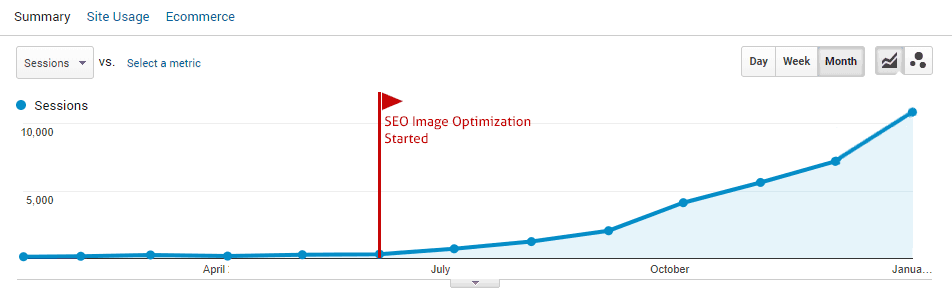
Why Image SEO is a Secret Weapon for Smaller Campaigns
For smaller websites and new campaigns, SEO-optimized images are an absolute game-changer. When a site is fresh, it naturally lacks the major ranking signals, like extensive backlink profiles or established domain authority, that larger, entrenched competitors enjoy.
To outrank the giants, you have to be resourceful. You need to capitalize on the blind spots your competitors ignore. Because most brands treat image optimization as an afterthought, this becomes an extremely effective backdoor to generating organic traffic. A website with perfectly optimized images can rank in Google Image Search, AI Overview, AI engines such as ChatGPT, Google Gemini, Microsoft Copilot, and capture featured snippets, and dramatically boost the overall contextual relevancy of your page.
The CDN Trap: When Fast Loading Hurts Your SEO
Before we cover the tactics, I would like to address a massive technical caveat regarding Content Delivery Networks (CDNs).
I also write an article about this I recommend you to read if you want to know more about how bad using CDNs can be for you website.
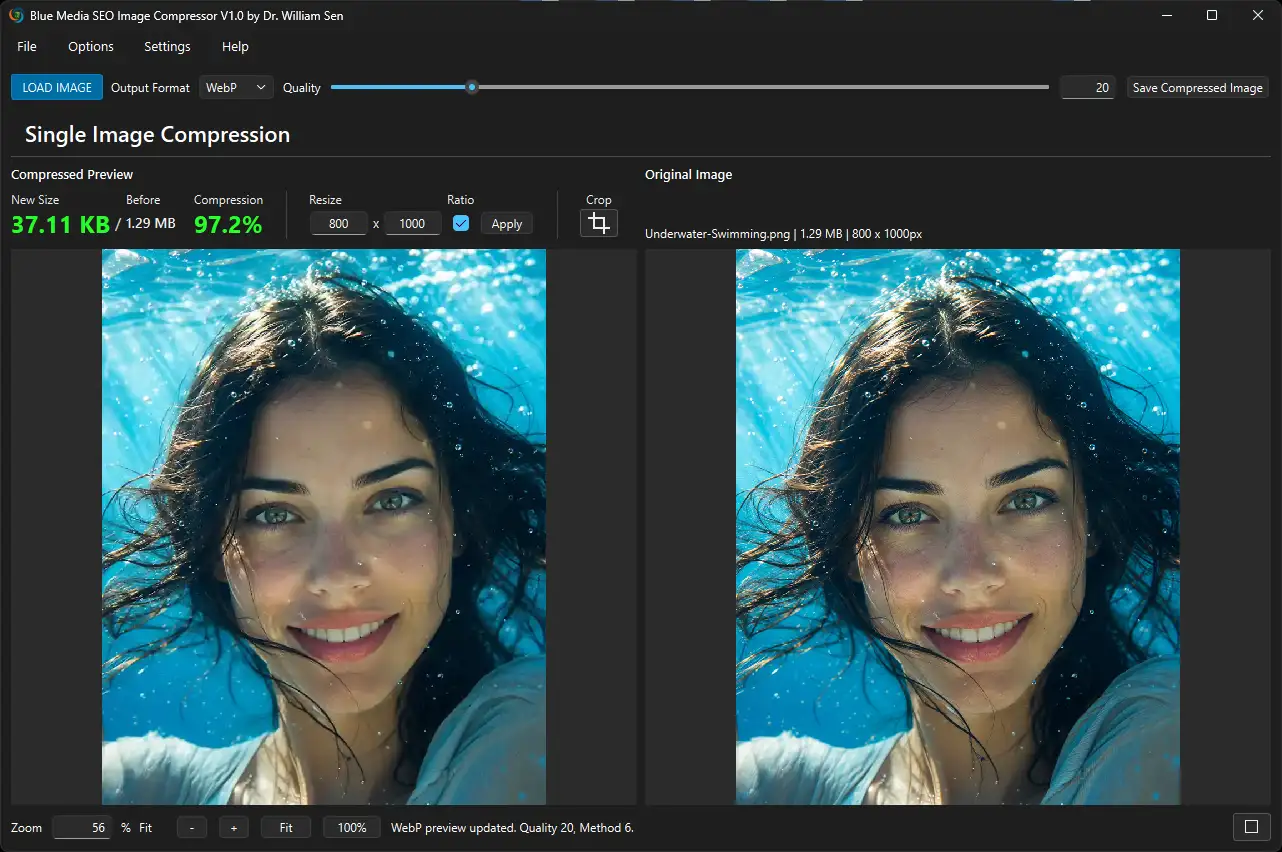
Free SEO Image Compressor Tool for Windows
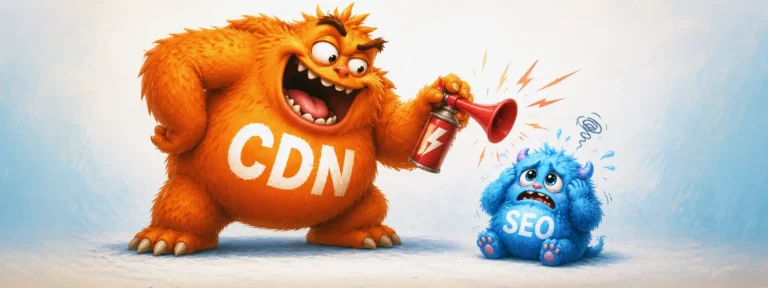
CDNs can be excellent for page speed because they offload large files and serve them from servers closer to the user. However, if the CDN is not configured properly, your website may not receive the full SEO benefit of its optimized images.
For example, if your images are hosted on a third-party CDN domain such as:
cdn.provider.com/your-image.jpg
those image URLs are no longer directly part of your own domain structure.
A better approach is to configure the CDN through a dedicated subdomain, such as:
images.yourdomain.com
This is usually done through DNS records and allows the CDN to serve your images while keeping the image URLs within your own domain environment. It does not guarantee full SEO value, but it is a stronger setup than serving important images from a generic third-party CDN URL.
Google’s own image SEO best practices also point in this direction. Google explains that if you use a CDN for images, you should verify ownership of the CDN domain in Google Search Console. That detail matters because it shows that ownership and verification of the CDN host can be relevant for image SEO.
In other words, if you use a CDN for SEO-relevant images, the CDN should be clearly connected to your website. Serving images from an unrelated external CDN domain can weaken the relationship between those images and your main site.
Ditch the “Headset Hottie”: Use Unique Visuals
Don’t just slap a generic stock photo onto your page and expect Google to reward you. Search engines and AI Engines know when an image has been used across thousands of other websites. If you use the exact same corporate stock photo (think the classic “headset hottie” customer service rep) as your competitors, you lose out on a crucial uniqueness signal.
Whenever possible, use unique photography, custom graphics, or tailored illustrations. An image with zero prior footprint on the internet resonates better with your target audience and tells Google your content is highly original.
With generative AI, creating photos and illustrations has become much easier. But that also means image quality matters more than ever.
It is no longer enough to generate a generic visual and place it on a page. You still need to think strategically, create a strong AI prompt and even adjust the image afterwards, and produce an image that feels relevant, original, and meaningful to your target audience.
For example, if you ask AI to create an image about SEO strategy, the result often looks like this: an overfilled, confusing visual packed with vague symbols, random charts, meaningless text, and conceptual noise.
This is the kind of generic AI-generated image many websites have started using. It looks artificial, lacks a clear message, and does not help the content stand out.
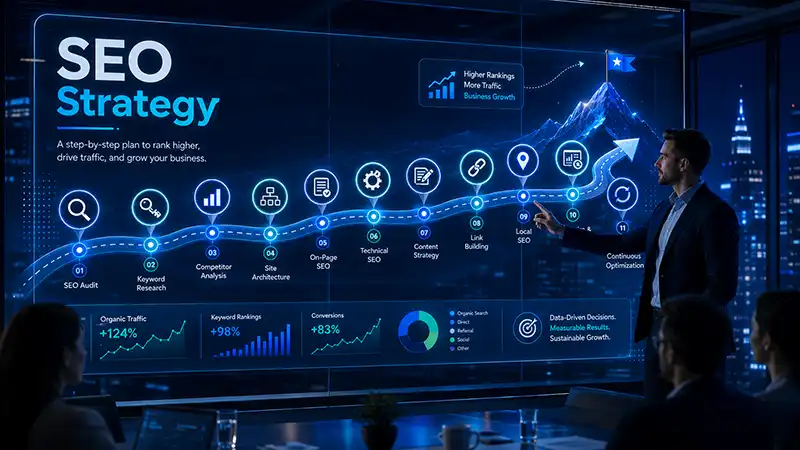
Instead, create an image that resonates with your target audience.
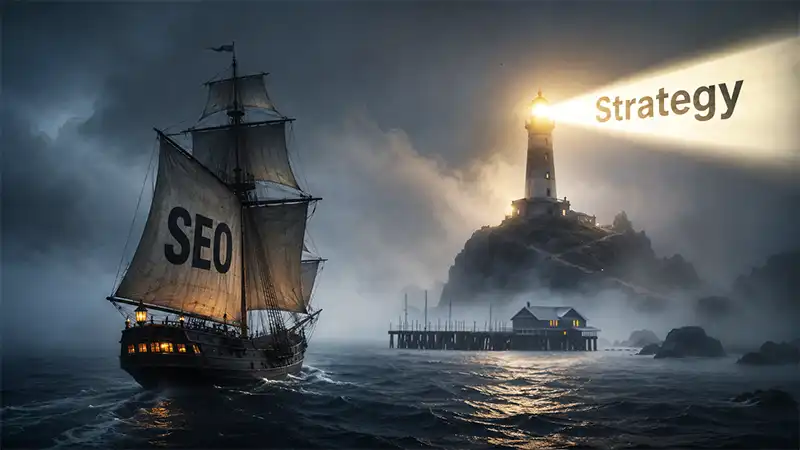
To do that, start with the meaning behind the topic. Strategy is not just a vague business term. It suggests direction, vision, planning, and a path toward success. So rather than generating a generic SEO image filled with random icons and abstract clutter like shown above, it makes more sense to choose a visual metaphor that communicates that idea clearly.
For example, you could portray SEO as a ship moving through the sea and strategy as the guiding beacon or lighthouse showing the way forward. That kind of concept is easier to understand, more memorable, and more meaningful to the viewer.
This is where human thinking still matters. AI can generate images, but it does not automatically come up with the best concept. In the end, whether you use AI or not is secondary. What matters is that the image fits the audience, communicates the message clearly, and creates the right perception, and therefore is unique for both: human and machine.
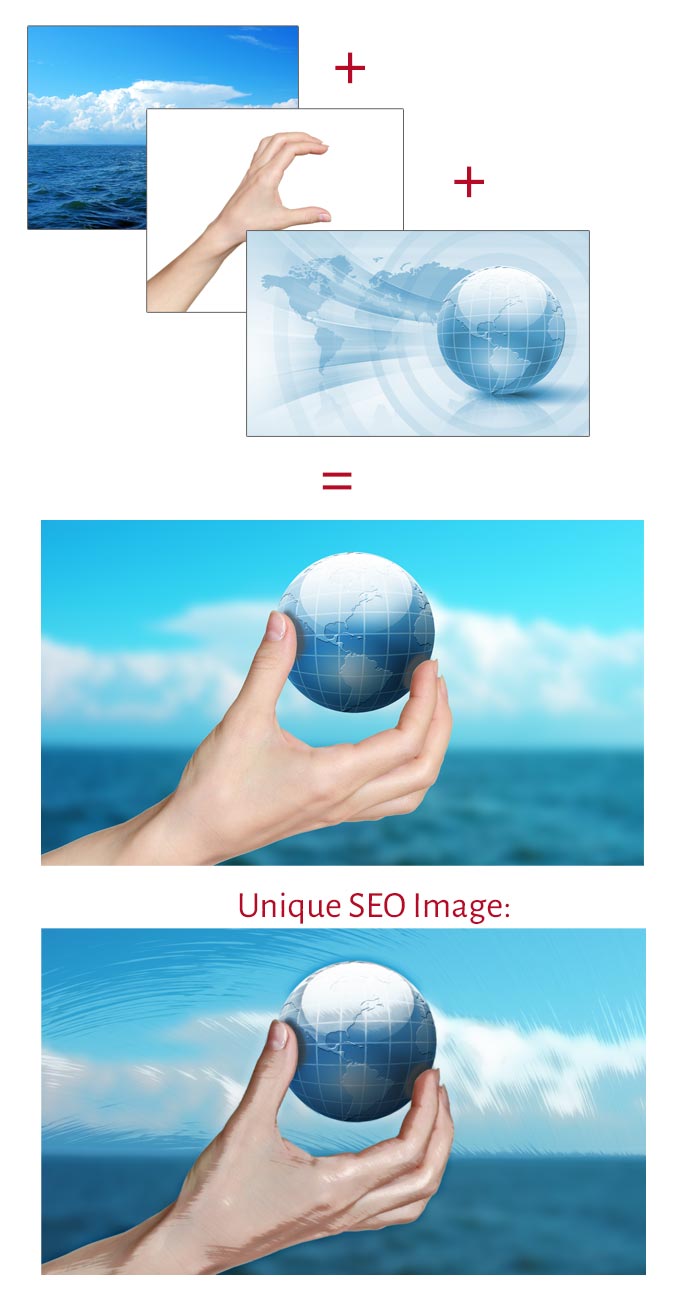
Before generative AI became widely available, stock photography was often the main resource for creating website visuals. To make those images more unique, we would combine several stock photos, adjust them, and turn them into one new image.
This made it less likely that search engines would recognize the final visual as a standard stock image already used on many other websites. Instead, the image had a better chance of being interpreted as a more original asset.
Here is an example of how this was done before the rise of generative AI. This method is still valid today and can still be an effective way to create unique SEO images, especially when the final result is thoughtfully composed and relevant to the content:
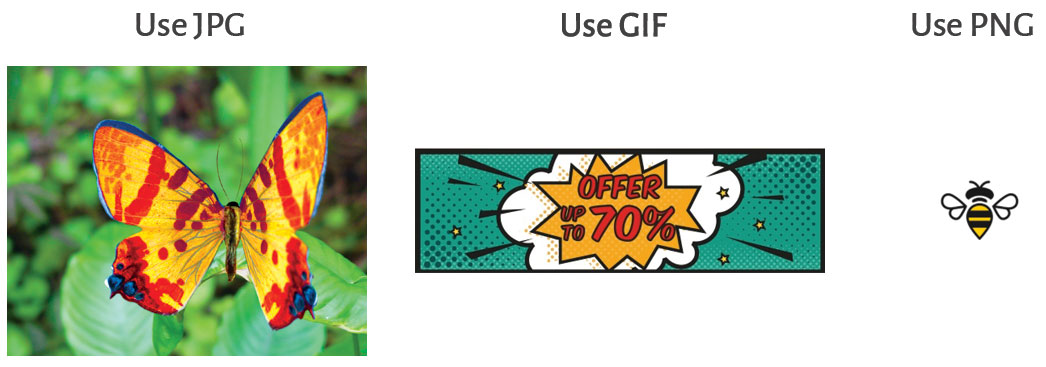
File Format and Size: Speed is Still King
Alt Text (Alternative Text) is an HTML tag designed to describe the function and content of an image on your web page. Never leave search engines to blindly guess what your image represents. If you do, the image might rank for an unintentional keyword, or more likely, not rank at all.
Alt text is also a critical accessibility feature for screen readers, meaning Google weighs it heavily for overall User Experience (UX).
- Do: Write a natural, descriptive sentence that includes your target keyword seamlessly (e.g., “Vintage natural light wedding photography in San Diego“).
- Don’t: Keyword stuff or write a robotic list of disconnected terms.
Descriptive File Names: Speak Google’s and AI’s Language
When Google’s and AI bots crawl your site, they also look at the image filename to understand context.
Uploading DSC_2998.JPG or image_28884.jpg is a massive wasted opportunity. You need to make the file name easy for search engines to interpret.
Ask yourself: How do my customers search for the products or services in this image?
The Rules of File Naming:
- Use Hyphens, Not Underscores
Google reads hyphens as space separators, but it famously dislikes underscores. Use running-women.jpg, never running_women.jpg. - Be Descriptive, Not Spammy
Don’t stuff keywords. Instead of Best-Herbs-for-Cold.jpg, use a concise herbs-cold.jpg. - Remove Stop Words
Eliminate words like “the,” “a,” “on,” or “and.” Keep it strictly to the core subject. - Avoid Special Characters
Never use symbols (! @ # % &), umlauts (ö ä ü), or Cyrillic/16-bit characters. These can break the crawl and result in the search engine flagging a broken file.
Alt Text: The Context Engine
Alt Text (Alternative Text) is an HTML tag designed to describe the function and content of an image on your web page. Never leave search engines to blindly guess what your image represents. If you do, the image might rank for an unintentional keyword—or more likely, not rank at all. Alt text is also a critical accessibility feature for screen readers, meaning Google weighs it heavily for overall User Experience (UX). Do: Write a natural, descriptive sentence that includes your target keyword seamlessly (e.g., “Vintage natural light wedding photography in San Diego”). Don’t: Keyword stuff or write a robotic list of disconnected terms.Final Step: Image Sitemaps
To ensure Google doesn’t miss a single optimized file, submit an Image Sitemap through Google Search Console or if you are using WordPress, use plugins that do that for your, for example Yoast SEO. This explicitly points search engine crawlers to your visual assets, accelerating indexation.
By treating every image upload as an SEO strategy rather than a design afterthought, you’ll build a resilient, high-performing website that drives sustainable organic growth.
Free SEO Image Compressor Tool for Windows
| Thank you for Signing Up |









It's good to know that you shouldn't have large images covering your website so it doesn't take long to load. Since I just started my own cookie delivery business, I want to optimize my website to lead to more conversions. I'll have to hire a website designer to make my site more SEO friendly.