 by
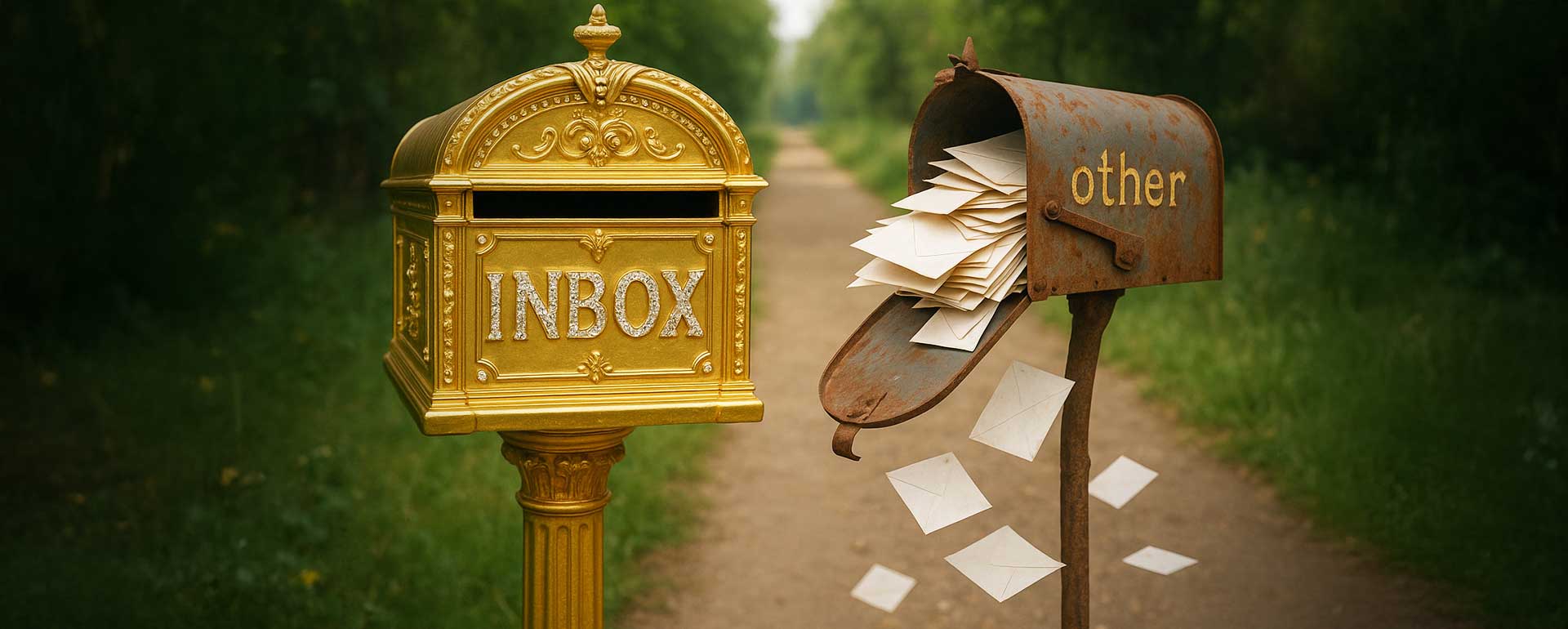
by Maybe you have been experiencing that your events are not being attended as much as they used to be? Then you are most likely experiencing that your mailing list and newsletter emails now are not being seen by the recipients. This is due to the recent changes of Microsoft and Google Mail where they have introduced a new folder named “Promotional”.
Which means basically that everything you write that sounds like a promotional email is being detected by these platforms and then do no longer land on the inbox of the recipient, but rather on their dedicated promotional folder.
This article will help you to understand how the new email system works and what you can do to reach your destination anyway in their inbox folders. Because let’s be honest: who looks in their promotional folder? We believe that it’s being rarely looked at and thus emails are almost like disappearing on the recipient side.
Why the New Email Folders Hurt Real Communities
Before I dive in, I’d like to make clear the double edged sword we are dealing with here. On the one side you want to inform your community who are 100% interested in what you have to say, for instance an even invitation. For instance I myself am a business network organizer in San Diego County, and I have over 900 mailing list entries that are being informed — once they would receive all their emails and attend to their meeting — what I hear now is: “I haven’t received anything” — basically my network participants are complaining that they don’t see my invitations anymore — yes, because they land on their promotional folders which they don’t look into.
From that perspective, the new folder structure creates an obstacle. It prevents people from receiving updates they actually care about. It disconnects communities, causes people to miss out on events and social gatherings, and in a strange way encourages isolation because important communication gets buried by an automated system. One could almost joke that the big tech companies prefer you to stay behind your screen rather than meet people in the real world.
At the same time, this situation exists for a reason. Over the past years, inboxes have been flooded with emails that are not technically spam but still overwhelm people. These are the messages from places you once subscribed to or bought something from: your favorite restaurant sending weekly offers, the event platform reminding you of promotions, the online store sending discounts, and countless brand newsletters. Not all of it is illegal spam, but it adds up, and the average person receives far more than they can reasonably read. For that reason, Microsoft and Google decided to separate anything that looks promotional or mass-delivered into its own folder. From their point of view, this creates order and improves the everyday inbox experience.
Personally, I would prefer that email providers allow individuals to decide for themselves what belongs where. Unsubscribing or creating filters is not difficult, and it respects personal choice. But the reality is that many users do not manage their inbox at all, and so the companies stepped in and made the decision on behalf of everyone. The unfortunate side effect is that even serious event invitations, important updates, and simple birthday notices now also get pushed into the Promotional folder. In their view, this might be an acceptable collateral damage.
That is the environment we are working in today: a system that tries to help the average user but unintentionally harms genuine communication between people who actually want to hear from one another.
How Microsoft and Google Detect Promotional Emails
Gmail was the first to make this highly visible with its tabbed inbox. When a user chooses the Default inbox type, Gmail automatically sorts emails into categories such as Primary, Social, Promotions, Updates, and Forums. Primary is meant for messages from people you know and other important communication, while Promotions is specifically described as “deals, offers, and other promotional emails.”
Google has been explicit that these tabs are driven by a machine learning classification system. It does not use a simple rule like “if the word sale appears, send to Promotions.” Instead, it examines a variety of signals: who the sender is, what is inside the message, and how users have interacted with similar messages in the past.
In practice, several signal groups are especially important.
First, content and structure. Marketing-style HTML templates, many images, multiple tracking links, and layout patterns typical of newsletters are strong clues that something is promotional. Deliverability tools and Google’s own guidance confirm that Gmail’s algorithm relies heavily on these structural patterns to recognize marketing campaigns and group them into the Promotions tab.
Second, sender reputation and authentication. Google has tightened rules for bulk senders, especially from 2024 onward. If you send more than roughly 5,000 messages per day to Gmail accounts, you must authenticate correctly with SPF and DKIM, publish at least a basic DMARC policy, support one-click unsubscribe in your headers, and keep your spam complaint rate under about 0.3 percent. If you don’t know what SDF/DKIM and DMARC means, I have dedicated an article to that topic:
Article Recommendation:

Although these rules are formally about spam and acceptance, in practice they also help Gmail separate high-volume marketing senders from normal person-to-person mail. If your traffic and infrastructure look like a bulk sender, Gmail will treat you as such and is more likely to categorize your messages as promotions.
Third, user behavior and engagement. Gmail watches how people interact with different types of mail. If most users archive or ignore messages from a sender without opening them, or if they frequently delete them, that is a strong signal that these messages are not primary communication. On the other hand, if people often open, reply, or drag a sender’s mails from Promotions to Primary, Gmail learns that this sender is more important for that user. Google has said directly that classification uses user interaction with similar content as one of its key signals.
There is also a subtle point many people miss: Gmail applies its category labels even if the user has disabled tabs entirely. In other words, the Promotions classification still exists in the background, and the system is continually learning, even if the user interface only shows one unified inbox.
In 2025, Google has gone even further by making the Promotions tab itself smarter. Instead of simply listing promotional messages in chronological order, Gmail can now sort them by relevance, highlight offers from brands a user engages with the most, and surface time-sensitive deals with “nudges.”
That does not change how emails are detected as promotional, but it shows how deeply machine learning is now involved in ranking and presenting these messages.
Taken together, Gmail determines that something is promotional when it looks like a mass-mailed, marketing-style message from a sender whose traffic and behavior resemble a bulk sender, and when user behavior around similar content suggests that it is lower priority than personal correspondence.
Microsoft: Focused Inbox, Other, and Low-Priority Detection
Microsoft’s system looks different in the interface but is conceptually similar. Instead of tabs like Promotions, Outlook uses the Focused Inbox feature to separate mail into two main views: Focused and Other. Emails in Focused are the ones Microsoft’s AI deems more important, typically personal, work-related, or from frequent contacts. Newsletters, promotions, shopping confirmations, and mass mailings are more likely to go into Other.
Like Google, Microsoft does not publish the exact internal rules, but documentation and third-party analysis agree on the main factors.
One is content and format. Messages that look like marketing newsletters, with templates and repeated layouts, tend to be treated as less important. Another is engagement: Outlook’s ranking considers how often you read, reply, or interact with a sender. Messages from people you answer frequently are promoted into Focused, while messages that you rarely open are more likely to be pushed to Other.
User feedback also directly trains the model. When you drag an email from Other to Focused or choose “Move to Focused,” Outlook learns that similar messages from that sender should be considered more important in future. The opposite is true when you move a message out of Focused.
This per-user learning means classification is not static; the system progressively customizes itself to each person’s habits.
On top of this, Microsoft has joined Google and Yahoo in enforcing stricter bulk-sender requirements. By 2025 it is requiring large senders to authenticate correctly and to meet similar standards for unsubscribes and spam complaint rates as described above.
That enforcement again makes it easier for their systems to distinguish between ordinary correspondence and large-scale promotional traffic.
Gmail and Outlook do not use identical labels, but they are both moving in the same strategic direction. They are trying to keep human-to-human messages in the main view (Primary or Focused) and to push everything that looks like marketing, notifications, or automated traffic into secondary views (Promotions, Updates, Social, Other).
7 Key Tipps to Improve Inbox Placement
MIf you want your emails to reach the inbox in 2025, the most important shift is abandoning HTML formatting entirely. Modern filtering systems treat HTML as a hallmark of promotional communication. A message filled with styling, banners, brand colors, centered images, decorative fonts, or formatting blocks is almost automatically grouped together with newsletters, ecommerce announcements, and commercial outreach.
Plain text, on the other hand, resembles human communication. It looks like something one person wrote to another, not something generated by a mass-mailing engine with a design setup. This distinction matters more than ever because Gmail and Outlook use structural patterns to categorize mail. Even the presence of a single promotional element can change the classification. My own invitations now land in inboxes for one reason: I write them in clean, simple text with no design elements whatsoever. A short, direct email looks unmistakably personal, and the filtering system reacts accordingly.
When you remove HTML, the tone of your message becomes the main carrier of trust. A plain invitation without formatting stands out in a world where most automated emails still rely on visual templates. For community organizers, clubs, or small networks, this alone can restore inbox placement almost completely.
1) Reduce Links to Strengthen Inbox Placement
Another factor that heavily influences whether a message lands in the inbox or the Promotional folder is the number of links inside your email. Modern filtering systems treat links as one of the strongest promotional indicators, because almost every commercial email relies on them. Retailers insert multiple calls-to-action, tracking links, social media icons, unsubscribe buttons, and navigation elements. Newsletters often include links to websites, blogs, surveys, and event pages. Even community organizers sometimes include venue links, RSVP pages, and online forms.
Every additional link increases the likelihood that the system will classify the message as promotional or automated rather than personal. A personal email usually contains either no links or just one intentional link, such as an unsubscribe option. By the way, all my emails include only two links: The link to the website’s even, and an unsubscribe link which I label it as ‘unlist’ by the way — which in my experience performs much better than the word ‘unsubscribe’. That term ‘unsubscribe’ alone is a strong signal for promotional email. Just a small tip on the side.
Your goal should be to minimize the number of links as much as possible. The fewer links you include, the more your email resembles a direct, human message.
Also avoid tracking parameters, avoid multiple redirects, and avoid linking every line of text. When your link appears natural and essential rather than promotional, the filtering system treats it differently. I don’t track my emails anymore, since that adds another link.
I have found that the fewer links I include, the more often I see my emails land in the Primary inbox. When I experimented with versions of my event invitation that contained two or three links, Gmail immediately pushed them into Promotions during testing. When I removed the extra links and kept only one — or none — the email began landing directly in the inbox again. This is not a coincidence. It reflects the core logic of the filtering algorithms: real people send messages, not a bunch of links.
2) Change Your Sender Address
One of the most overlooked factors in modern deliverability is the sender address itself. Gmail and Outlook no longer treat all addresses from the same domain equally. They evaluate the nature of the mailbox, its history, and the patterns it has shown over time. An email sent from “promotion@”, “info@”, “company@”, or any other generic address is automatically treated with suspicion because those prefixes are widely used by mass senders, marketers, and automated systems. Even if your content is entirely personal, the sender name alone can push your message into the ‘Promotional’ or ‘Other’ folder before any analysis of the text even begins.
This problem becomes worse if you have been using a generic address for months or years and sending high-volume or template-style mail through it. Once a mailbox accumulates the reputation of a promotional sender, the algorithms treat it accordingly. Changing your content later does not immediately erase the old behavioral footprint. The system continues to trust the historical pattern more than the new intention.
A far more effective strategy is to send your messages from a personal, stable address that carries a long history of genuine, human communication. When emails come from your personal mailbox — something like ‘firstname@yourdomain.com’ — the filtering engines recognize it as a conversational identity rather than an automated one. That alone dramatically improves inbox placement. Modern classifiers track whether the mailbox has previously sent personal messages, received replies, handled one-to-one interactions, and maintained a natural communication rhythm. A personal sender address fits that pattern. A generic one does not.
In my own experience, this has been one of the most decisive factors. When I used addresses such as ‘events@’ or ‘mailing@’, even simple messages were routinely filtered. They were treated like organizational broadcasts rather than conversations. But when I switched to my personal address, which has years of normal correspondence behind it, the filtering behavior changed immediately. Both Microsoft and Google trusted it more because the entire communication history supported that trust.
If your old sender address has already been flagged internally as promotional, you may need to establish a fresh address and begin building reputation from scratch. This includes sending plain, personal emails, earning real replies, and avoiding any promotional-looking behavior until the new mailbox establishes a clean profile. Over time, the filtering systems learn to treat that address as a trusted source of personal communication. Only then does inbox placement stabilize.
3) Personalize Your Email
Modern email classifiers read tone as much as they read structure. Even if an email is technically clean and free of formatting, the wording can still reveal that it was intended for a group rather than an individual. Messages that begin with “Hi everyone” or “Hello all” are clear signals of a mass communication pattern, and both Google and Microsoft treat that as a promotional marker.
When you begin your email with a personal greeting such as “Hi Jane,” it immediately alters how the filtering system interprets the message. It reads like a private note, not an announcement. If you do not have names in your mailing list, a simple “Hi,” still performs better than a group greeting. It avoids the broadcast tone that triggers automated categorization.
The body of your message should follow the same logic. Phrases such as “It’s time again to come together at our regular venue” signal to the algorithm that the message is meant for many people at once. A more individual phrasing such as “So, we’re meeting again at the usual place you already know” has a completely different feel. It is conversational, direct, and natural. This matters because these systems are built to distinguish human conversation from promotional messaging. If the language feels personal, the filtering engine assigns it to the primary inbox.
4) Seek for Replies
The most powerful indicator that your email is genuine is the presence of actual human replies. Promotional emails rarely receive responses. Personal emails do. Gmail and Outlook treat replies as a confirmation that a message belongs in the inbox because replies demonstrate engagement, conversation, and relevance.
When your message is personalized, people naturally respond, often even apologizing for not attending your event. They believe the email was intended specifically for them, and that is precisely the atmosphere you want to cultivate. Their reply triggers a behavioral marker that elevates your sender reputation dramatically.
To strengthen this effect, it is useful to ask a direct, simple question near the end of your message. It can be something like “Are you coming?” or “Were you there last time?” These short questions feel normal in a conversation and encourage people to write back. The response trains the filtering model instantly. Over time, your domain and address are treated as trusted personal senders rather than promotional broadcasters.
A single small reply from one user improves deliverability for every user on your list. This is why engagement is not merely decoration; it is the core mechanic of modern inbox ranking.
5) Use Your Own Email Server Instead of a Mass-Mailing System
There is one more technical point that has a huge impact on whether your messages reach the inbox or land in the Promotional folder, and even beginners need to understand it. Many people use newsletter tools such as Mailchimp, HubSpot, Brevo, Constant Contact, or similar platforms. These tools make it easy to design emails, manage lists, and track statistics, but they also come with a major drawback: most of them do not actually send the email from your personal email address. Instead, they use their own outgoing servers — technically known as SMTP servers — which are shared by millions of other users around the world.
When you use the free plans or even some of the cheaper paid plans of these services, your email is not coming from your domain at all. It is coming from the same large mass-mailing system that sends newsletters, promotions, marketing campaigns, and automated sales messages for thousands of companies. Gmail and Outlook know this. Their filtering systems recognize the pattern instantly. If the message is coming from a shared promotional SMTP server, they assume the message itself is promotional, regardless of what you wrote in it.
Your own domain’s SMTP server tells a completely different story. When you send email through your own account — meaning yourname@yourdomain.com — through the mail server that belongs to your domain — the filtering systems can see that it is a personal, individual sender and not part of a marketing platform. Your messages inherit the reputation of your own address instead of the reputation of millions of marketers bundled into the same pipeline.
The difference is enormous. Their SMTP equals mass mailing, which almost guarantees promotional classification. Your SMTP equals personal communication, which almost always lands in the inbox as long as your content feels human.
This is why it matters to connect your newsletter tool directly to your domain’s actual email account. Many professional email platforms allow this through a feature called “send using your own SMTP.”
6) Train the System Through User Actions
Even with strong personalization and plain-text communication, some recipients will still see emails land in their ‘Promotional’ or ‘Other’ folders. These systems operate on massive behavioral averages, and individual accounts can diverge depending on how they have interacted with past messages from you.
For those cases, the most effective step is to explicitly ask recipients to move your message to their main inbox. When a user drags an email from ‘Promotions’ to ‘Inbox’ or ‘Primary’, the filtering system interprets that action as a correction. It learns that this sender — which is you — deserves higher priority. Once enough users perform this action, the model shifts globally and begins delivering your messages to the inbox automatically for everyone!
This user-driven training is extremely powerful. I include a small reminder in almost every message, asking recipients to move the email to their inbox if they find it elsewhere. Over time, I have seen this build up into a noticeable improvement. What begins as a trickle of corrections evolves into a stable inbox reputation for future sends.
This is one of the few methods that works universally across Gmail, Outlook, and other providers because it directly overrides the algorithm’s assumption and replaces it with real recipient preference data.
7) Test and Refine Before You Send
Testing is the most important habit if you want reliability. Because inbox classifiers operate on subtle patterns, small changes in wording can influence delivery. Domains, timing, phrasing, even a particular verb can shift the classification score.
Before sending any newsletter or event announcement to a large group, send it to several test accounts across Gmail and Outlook. Watch where it lands. If even one of the accounts receives the message in the Promotional folder, revise the text. Sometimes removing a single sentence, breaking a line differently, or simplifying a phrase is enough to change the outcome.
I run several Gmail and Microsoft accounts exclusively for testing. When a test message lands in Promotions, I rewrite it and send it again. Once all test accounts receive it in their main inbox, I know the message behaves like a personal email rather than a promotional one. Only then do I send it to my community list.