
 by
by When most people buy a website from providers like GoDaddy, Bluehost, SiteGround, HostGator or similar internet hosting providers, they usually buy a package: domain name plus website hosting, sometimes even email on top.
They type their new web address into the browser a few minutes later and something already appears: a temporary starter site, a coming soon page, or even a finished template. So far, so good.
Because everything comes in one bundle, it feels like one product. But in reality, there are several different services working together. Knowing the difference between them helps a lot when something breaks, when you want to move providers, or when you grow from a simple website to something more professional.
This article explains that difference in plain language, from a beginner’s point of view.
Difference between Domain, Website, Email
Almost every modern business website is built from three separate pieces:
- Domain name
- Website hosting
- Email hosting (optional, but very common)
In a typical bundle, most providers will quietly set up all three for you. That is convenient, but it also hides what is going on behind the scenes.
Think of it like a combo meal: you get burger, salad, and a drink in one box. But each item is still separate. If you ever want to upgrade just the drink or change just the salad, you need to understand that they are not all one thing.
It is the same with domain, hosting, and email.
hat Exactly Is Domain Hosting?
A domain name is your address on the internet. Examples:
- gobluemedia.com
- onbaze.com
- www.bluemediamarketinglaw.com
It is just the name, nothing more. Technically, it could exist without any website or email attached. In practice, your provider usually connects it to something right away, so you rarely see an empty page on a browser.
Key points about domain names:
- You register a domain with a domain hosting provider (for example, GoDaddy).
- You pay to keep it every year (or for multiple years).
- The domain can later point to any website host you choose.
If you bought only a domain and no hosting at all, then typing it into a browser would result in an error or simply show that a domain is parked. That is a possible situation, but many never see if they bought a package from day one.
What Website Hosting Does
Website hosting is where your actual website files live. This includes:
- The pages
- The images
- The code (HTML, CSS, JavaScript, WordPress files, etc.)
- The database (for systems like WordPress)
When you buy a “website package” with your domain, the hosting part is usually included automatically. Behind the scenes, the provider:
- Creates space for your website on a server
- Installs a system like WordPress or another website builder
- Connects your new domain to this server space
You can have your domain and your hosting in one place, or you can split them. Both are valid options, however IT professionals would recommend that you split.
Why Professionals Often Separate Domain and Hosting
For many people, an all-in-one package is seems to be the easiest option. But as businesses grow, many decide to separate where they register their domain and where they host their website.
A common professional setup looks like this:
- Domain Name: managed at GoDaddy
- Website Hosting: at WP Engine or another specialized host
- Email: at Google Workspace or Microsoft 365
Why go through the trouble instead of leaving everything under one roof?
Main reasons:
- Better performance: Specialized hosts are faster and more tuned for specific systems like WordPress.
- Better security and backups: Professional Website Hosts focus on stability, safety, and automatic backups.
- Clear responsibilities: One provider for domain, one for website, one for email. Easier to diagnose issues.
- Less “middle man”: No reseller dashboards between you and big providers like Google or Microsoft.
Your domain does not care where your website or email lives. It only needs to know where to point.
How the Domain Knows Where to Send Visitors
If your domain is at GoDaddy and your website is at WP Engine, something needs to tell the domain where to send visitors. That “something” is called DNS.
DNS stands for Domain Name System.
DNS records are small instructions attached to your domain.
In simple terms, DNS says:
“When someone types mydomain.com into a browser, send them to this server at this Website Host.
The process usually looks like this:
- Website Host (for example, WP Engine) gives you DNS details.
- You log in to your domain registrar (for example, GoDaddy).
- You enter those details under DNS or DNS management.
- After some time, the internet updates and visitors are sent to the right hosting server.
Most small business owners never do this themselves because their agency or tech person handles it. But it is useful to know that DNS is the connection point between domain and hosting.
Where Email Fits In (Email Hosting)
Email Hosting is yet another piece that many people assume is magically included everywhere. It is not. It is its own service.
You can:
- Use your website host’s basic email (often limited and not very strong), or
- Use specialized email providers like Google Workspace or Microsoft 365.
Your email setup might look like this:
- Domain Hosting: GoDaddy
- Website Hosting: WP Engine
- Email Hosting: Google Workspace
To make this work, you again use DNS, but this time you set something called “MX records”. MX records are entries that say: “Email for mydomain.com should go to Google (or Microsoft, or another email provider).”
If you buy email directly from Google or Microsoft, you get access to their own dashboards and features. If you buy a “resold” Google or Microsoft email package from a domain registrar, you still get the service, but you manage it through an extra layer. Many professionals prefer direct access to the original provider.
Access You Should Always Have
No matter how your setup looks, there are three logins you should always keep:
Domain Registrar Login | Where you can:
- Renew the domain
- Update DNS settings
- Transfer the domain if needed
Website Hosting Login | Where you can:
- Access the hosting panel
- Manage backups and restores
- Ask for technical support
- Access the WordPress or site files if needed
Email Hosting Login | Where you can:
- Add or remove email accounts
- Change passwords
- Configure security features
Even if an agency or freelancer handles everything, you should still have owner-level access, so you are not locked out if that relationship ends.
Common Situations That Suddenly Make the Difference Clear
Most people only start caring about domain vs hosting when something goes wrong. Here are situations where understanding the difference is extremely helpful:
- You want to move your website to a faster host but keep your domain where it is.
- Your website goes down, but email still works (or the other way around).
- An agency asks for “DNS access” to set up a new service.
- You want to add a professional email address using Google Workspace or Microsoft 365.
- You are rebranding: new domain name, same website host.
In all these cases, knowing what each piece does saves time, money, and stress.
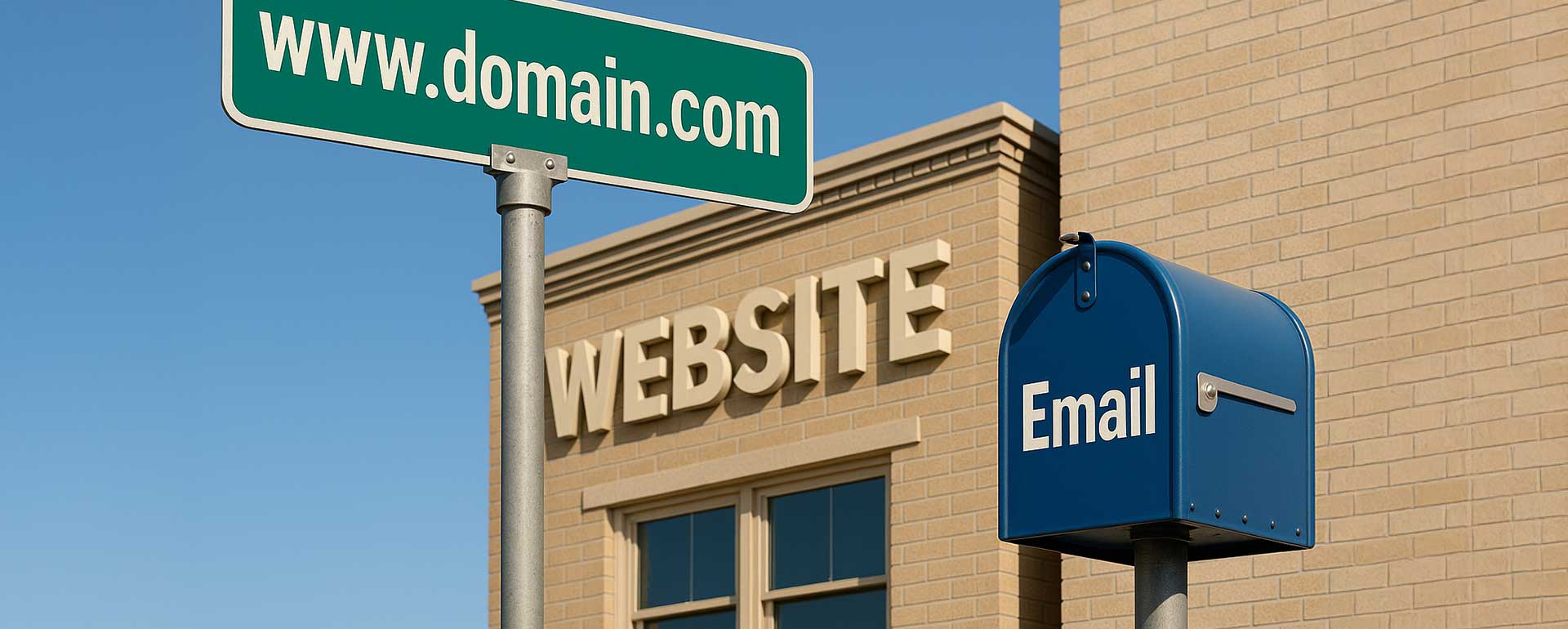
Analogy: Address, Building, Mailbox
A simple analogy puts it all together:
- Domain name = your street address
- Website host = the building at that address
- Email host = the mailbox service handling your letters
You can:
- Register the address with one company,
- Rent the building from a second one,
- Use a third company to handle all your mail.
Or you can get everything from one place. Both models work. The question is whether you want maximum convenience or maximum specialization.
Quick Checklist for Your Own Setup
To understand your current situation, ask:
- Where is my domain registered?
- Where is my website hosted?
- Where is my email hosted (if I use a custom domain email)?
- Do I have login access to each of these three accounts?
- Who manages my DNS records? (that’s where the domain points to other website or email hosts)
- If I needed to move hosts, would I know whom to contact and what to change?
If you can answer these questions, you already understand more than many website owners.
Conclusion
For most users, everything starts with a “website package” that simply works. Domain, hosting, and email are set up in the background, and there is nothing wrong with that.
However, as your business grows, you gain an advantage by understanding that:
- The domain name is just an address — there is no content, no website, no email.
- Website hosting is where the website-files truly live.
- Email hosting is its own service, which can be separate from both.